
Client feedback
Feedback asked automatically when work finishes — concerns raised early, testimonials collected, referrals captured.
Client Feedback asks your clients how the work went, without anybody having to remember to ask. A short request goes out when a job for them is finished. Happy clients are invited to leave a testimonial or refer somebody; unhappy ones are surfaced while it can still be fixed.
Before you start
- The module must be enabled for your firm.
- Client contacts with an email or phone, which is where the request goes.
- Work being marked done. Requests are triggered by completed client tasks — a firm that never closes tasks never asks.
Read what came back
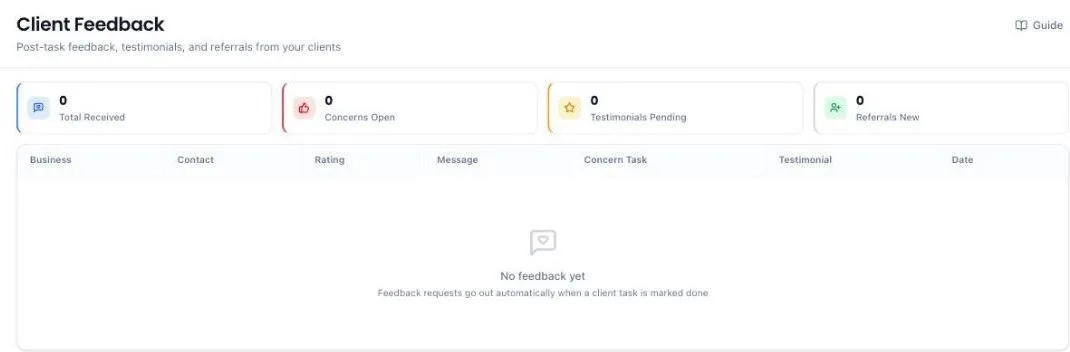
Four counters run across the top: Total Received, Concerns Open, Testimonials Pending and Referrals New. The table below shows the client, the contact who answered, their rating, what they wrote and which piece of work it was about.
The counters and the table cover the clients you can open. A partner sees the feedback for every client in their own practice — the clients run by them or by the people who report to them — and not another partner's. Other staff see the clients they are relationship manager for or assigned to. The firm owner and administrators see the whole firm. So a partner's Concerns Open can read lower than the owner's, and both are right.
Ratings are deliberately blunt — good, alright, or a concern. A three-word scale gets answered; a ten-point scale does not.
Act on a concern
- Open the concern. It names the job it came from.
- Call the client. This is the point of collecting it early.
- Raise a task if something has to be put right.
- Close the concern once it has been dealt with, so the open count means something.
Concerns Open is the number to keep at zero.
Use a testimonial
A client who gives good feedback is invited to leave a testimonial. Those arrive as pending — review each one and approve it before it is used. Approved testimonials can appear on your proposals, which is where a prospect actually reads them.
Follow up a referral
A happy client may pass on somebody else's details. Those arrive under referrals. Take the contact into Leads and work it like any other enquiry.
What the system does on its own
- Asks when work finishes. Marking a client task done triggers the request — no campaign to set up.
- Runs a monthly round at the start of each month for clients due one.
- Sorts the answers into concerns, testimonials and referrals, so a complaint is not buried among compliments.
- Keeps testimonials off your proposals until you approve them.
What you cannot do (and what to do instead)
- You cannot edit what a client wrote. It is their words. If it is unfair, respond to them directly; do not rewrite the record.
- You cannot publish a testimonial without approving it. That review step is deliberate.
- You cannot send a request to a client with no email or phone. Add contact details first.
- You cannot ask about work that was never marked done. Requests follow completed tasks.
- A partner cannot see another partner's clients' feedback. If you need the whole firm's picture, ask the firm owner or an administrator.
Common questions
No feedback is coming in.
Requests follow completed client tasks. If tasks are not being marked done, nothing is asked. Check contacts have an email or phone too.
Can I stop testimonials appearing on proposals?
Yes — the proposal settings control whether testimonials are shown.
A client gave a poor rating but wrote nothing.
Call them. The rating is the signal; the conversation is the substance.
A client's feedback is missing from my list, but the firm owner can see it.
You only see feedback for clients you can open. If the client belongs to your practice but nobody from it is the relationship manager or assigned, ask the firm owner to put someone from your practice on the client — it appears straight away.
More guides
Every other part of the product, the same way.