
Support & Bug Reports
Step-by-step bug reporting, FAQs, and direct sales & developer contacts — everything you need to get unstuck.
How to report a bug
Five simple steps. Each step has a screenshot showing exactly where to click — just follow along.
- 1
Step 1 of 5
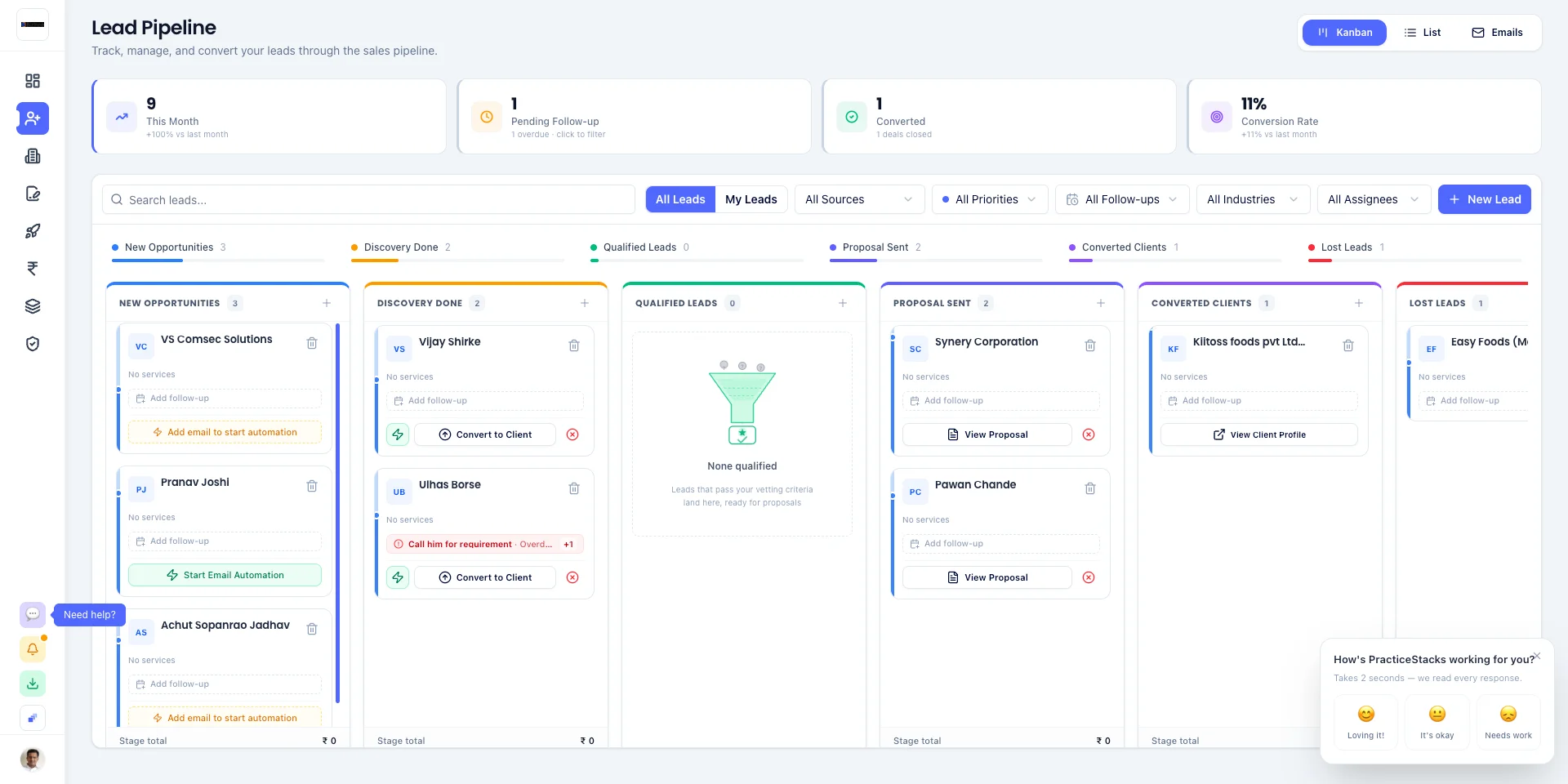
Open the help button
Anywhere inside the dashboard, look at the bottom-left corner of the sidebar. Click the button labelled "Create support ticket".
- 2
Step 2 of 5
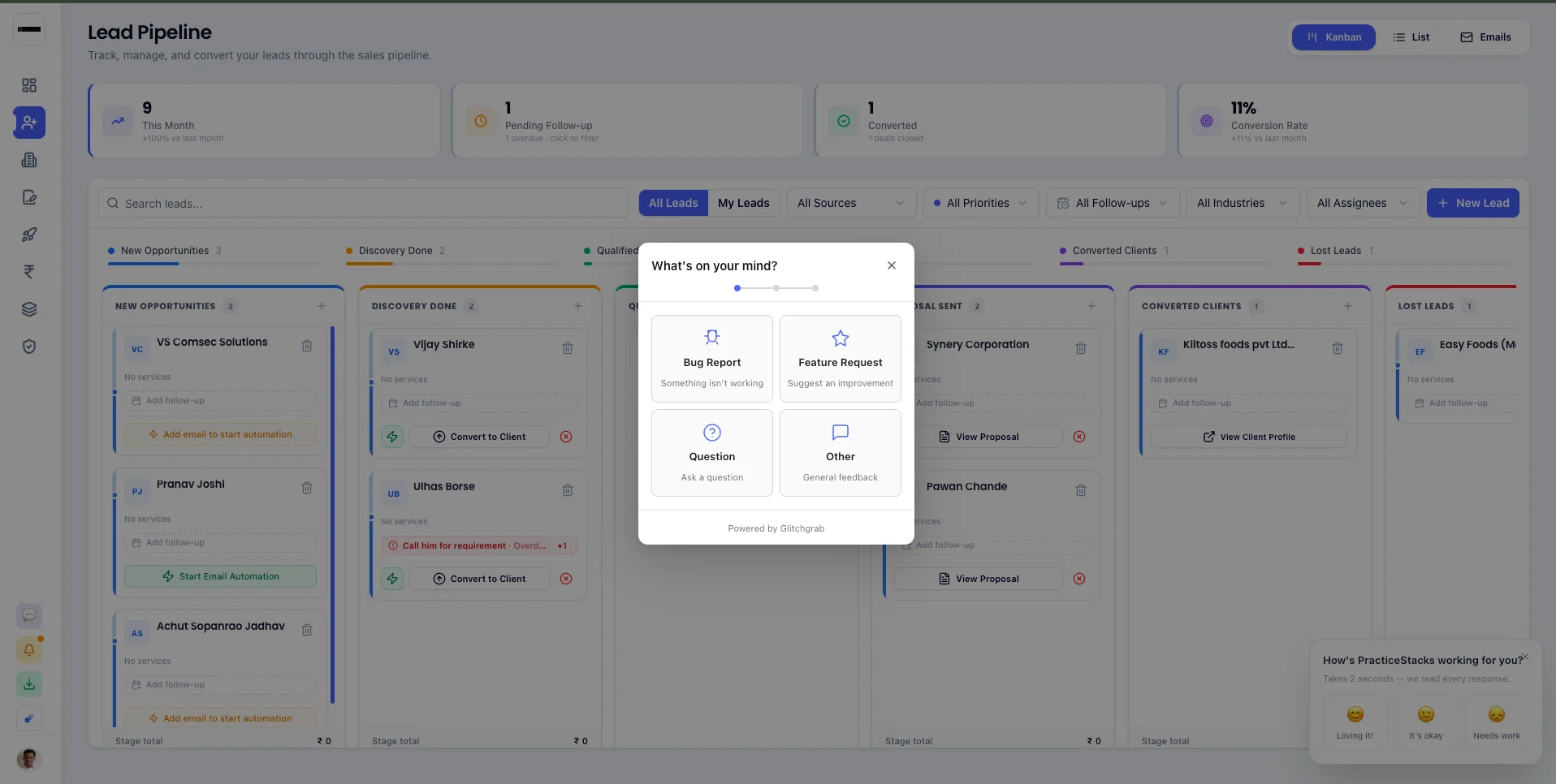
Choose what you want to report
A small box opens with four choices — Bug Report, Feature Request, Question, or Other. Click the one that matches your problem.
- 3
Step 3 of 5
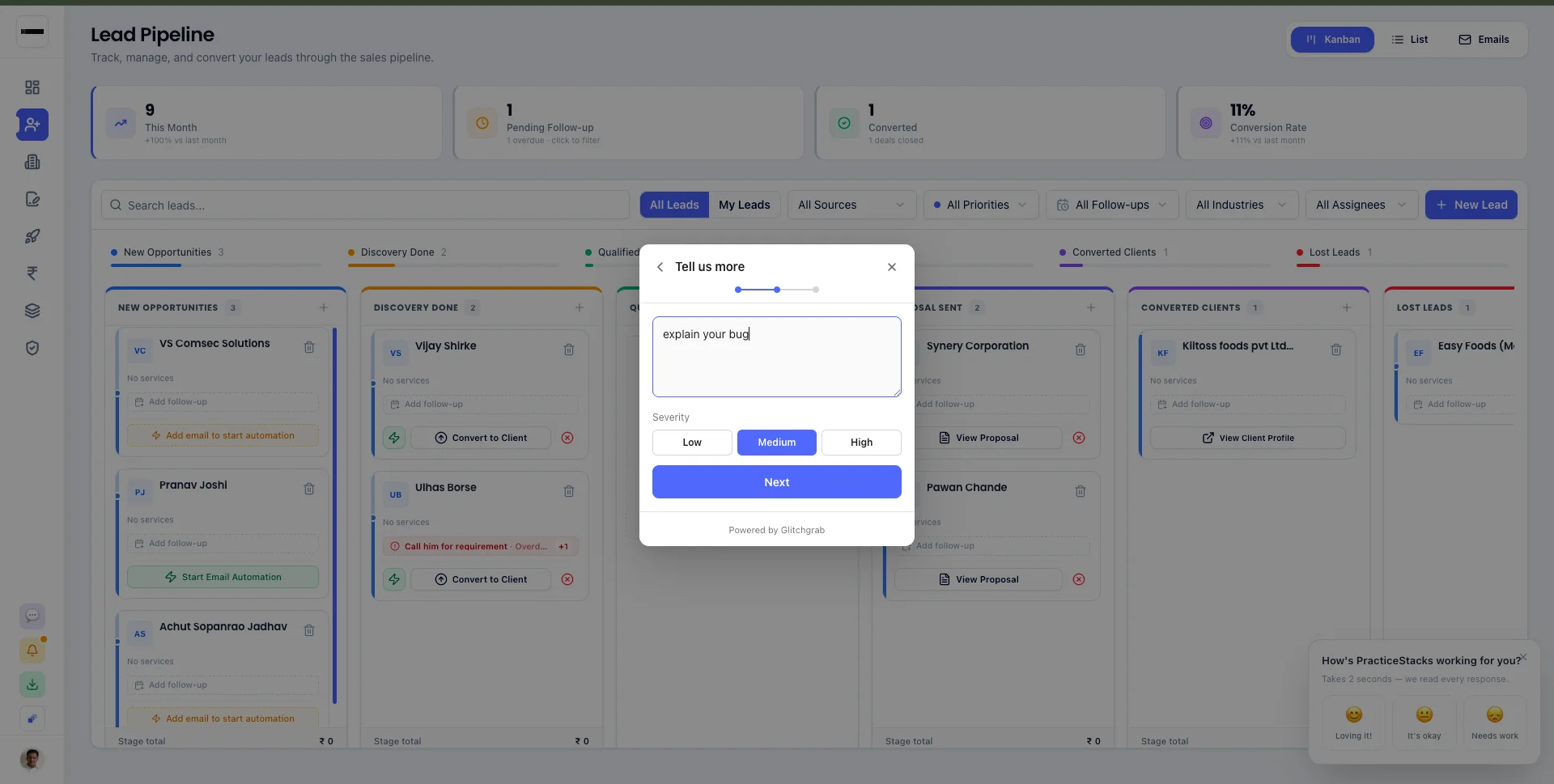
Write what went wrong
Type a short description of the issue in the box. Then pick how serious it is: Low, Medium, or High. Click Next.
- 4
Step 4 of 5
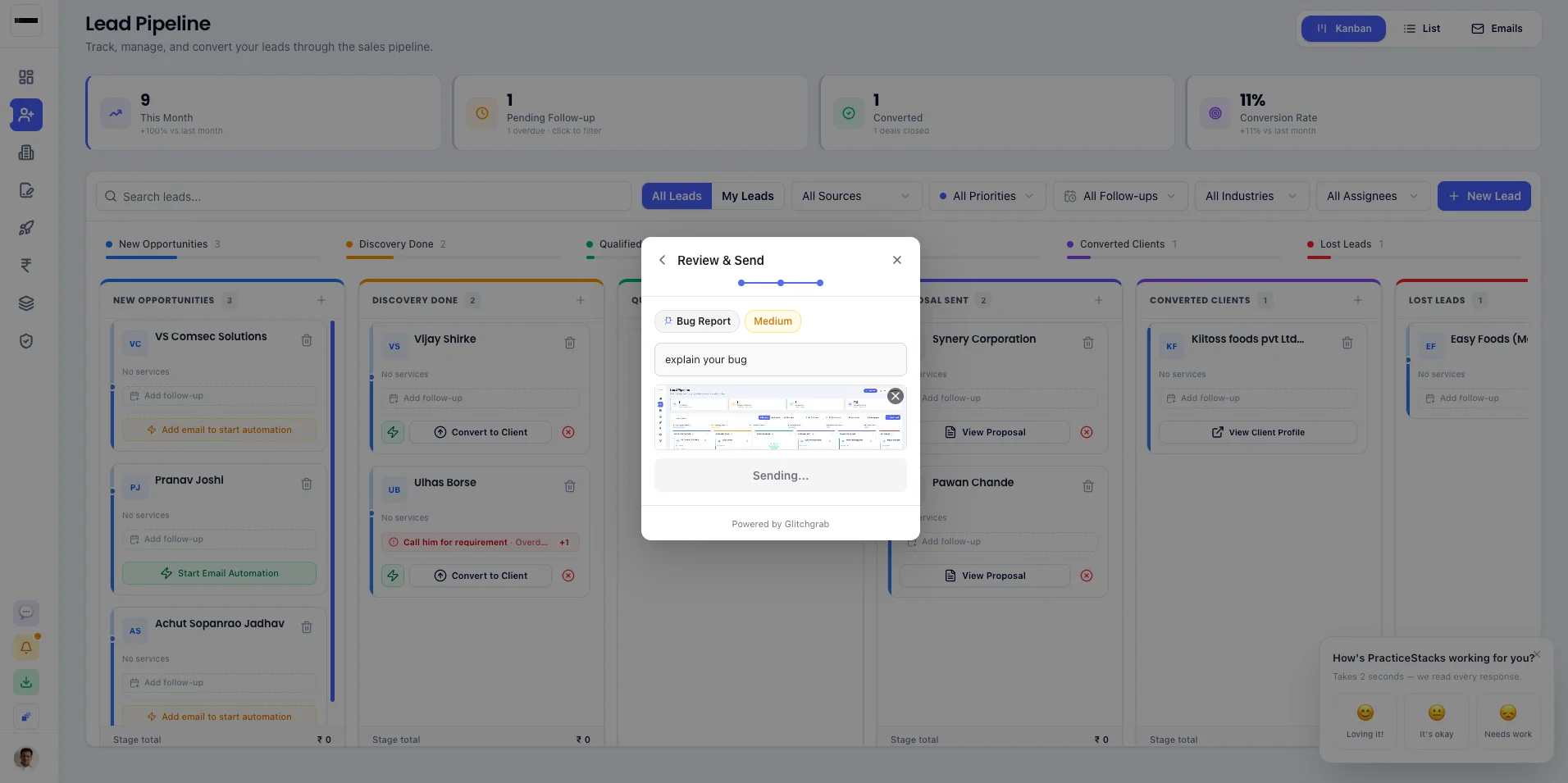
Review and click Submit
We automatically attach a screenshot of your screen and the technical logs. Just check it looks right and hit Submit. Done.
- 5
Step 5 of 5
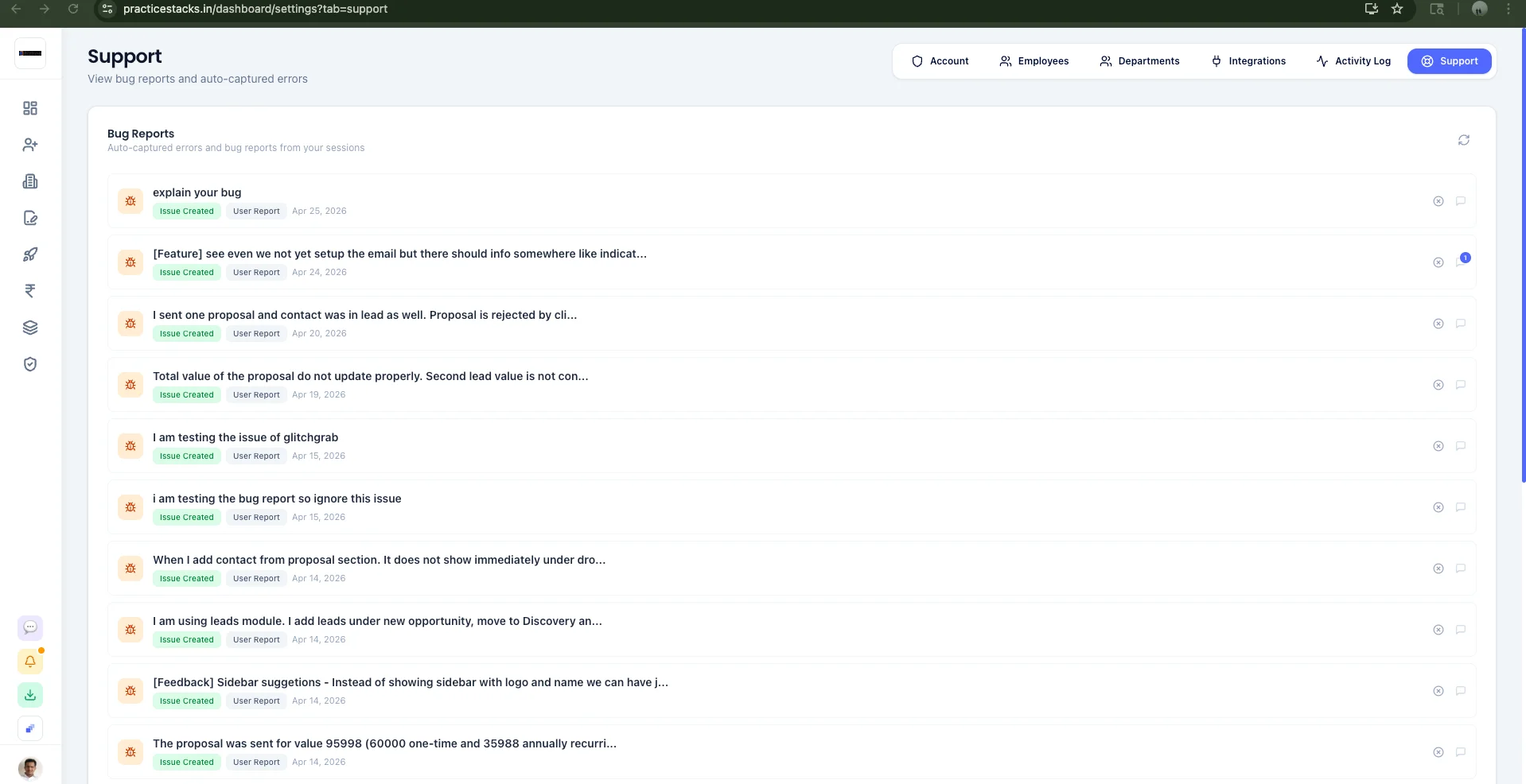
See the status anytime
Go to Settings → Support to see all the reports you sent and their current status (Issue Created, In Progress, Resolved).
Direct contacts
Sales
CA Shekhar Maske — Founder
Pricing, plans, demos, billing, and onboarding questions.
Developer Support
Bugs, errors & technical issues
Best path: use the in-app GlitchGrab widget — it includes screenshots and logs automatically.
Support hours: Mon – Sat, 10:00 AM – 7:00 PM IST
Frequently Asked Questions
Quick answers to common questions
How do I report a bug?▾
When you're signed in, click the 'Create support ticket' button in the bottom-left of the sidebar. The GlitchGrab widget will guide you through choosing a report type, describing the issue, setting severity, and reviewing the auto-attached screenshot before sending.
What's the response time for support?▾
Our support team is available Monday to Saturday, 10:00 AM – 7:00 PM IST. High-severity bugs (data loss, payment failures, downtime) are typically acknowledged within a few hours. Low/Medium reports usually get a response within 1 business day.
What's the difference between Sales and Developer Support?▾
Sales (CA Shekhar Maske) handles pricing, plans, demos, billing, onboarding and product fit questions. Developer Support handles bugs, errors, technical issues and integration help. Use the in-app GlitchGrab widget for technical issues — it includes screenshots and logs automatically.
Can I request a new feature?▾
Yes. Use the GlitchGrab widget inside the dashboard and pick 'Feature Request' as the report type. Add a clear description of the use case and the value it brings to your firm.
I'm not a customer yet — how do I get a demo?▾
Book a 15-minute walkthrough on the Contact page or call/WhatsApp Shekhar directly at +91 91684 99520. We'll show you how dynamic proposals and automated compliance tracking save 20+ hours every month.
Still need help?
Book a quick call, drop us a message, or sign in and report directly from your dashboard.