
Efficient Notice Management for CA Firms with PracticeStacks
Discover how automated notice management software helps CA and tax firms track GST, Income Tax, and TDS notices in one unified workflow to never miss a deadline.

Notice Management for CA Firms: How to Track GST and Income Tax Notices Across Clients
Picture a Monday morning in a CA firm that has grown steadily over the last few years. A partner returns from two days of outstation audit work and opens a personal inbox. Buried between client forwards is an email from the GST portal: a notice for one of the firm’s regular clients. It arrived on Friday. The reply window is already shorter than anyone would like. Nobody else on the team has seen it, because it never reached a shared mailbox.
The partner picks up the phone. The article clerk thinks the senior is handling it. The senior thinks it’s still with the partner. Meanwhile, the client has already sent a WhatsApp message asking if “everything is fine with the notice.”
If that sounds familiar, you’re not alone. In many firms, notices are handled through memory, inboxes and goodwill. That works when you have forty clients. It starts to crack at a hundred, and it breaks badly at three hundred.
This guide covers notice management for CA firms: why it’s harder than regular compliance, where firms usually lose control, what a workable process looks like, and how a connected system such as PracticeStacks can support it.
Why notices are different from every other deadline in a CA firm
A GSTR-3B due date is predictable. You know it months ahead, and you can build a calendar around it. Notices are the opposite.
They are unplanned. A notice can arrive for any client on any day, and you can’t schedule for it.
They come from several places. GST notices, income tax notices, TDS notices and MCA notices sit on different portals, and some arrive by email or by post.
They set their own deadlines. The reply date is written on the notice itself, so it differs from one notice to the next.
They carry more risk than a routine filing. A missed reply can complicate matters for the client and reflects directly on the firm.
This is why notice management for CA firms can’t be treated as an extension of the compliance calendar. A calendar tells you what will happen. A notice is what just happened, and the clock is already running.
Where notice management for CA firms usually breaks down
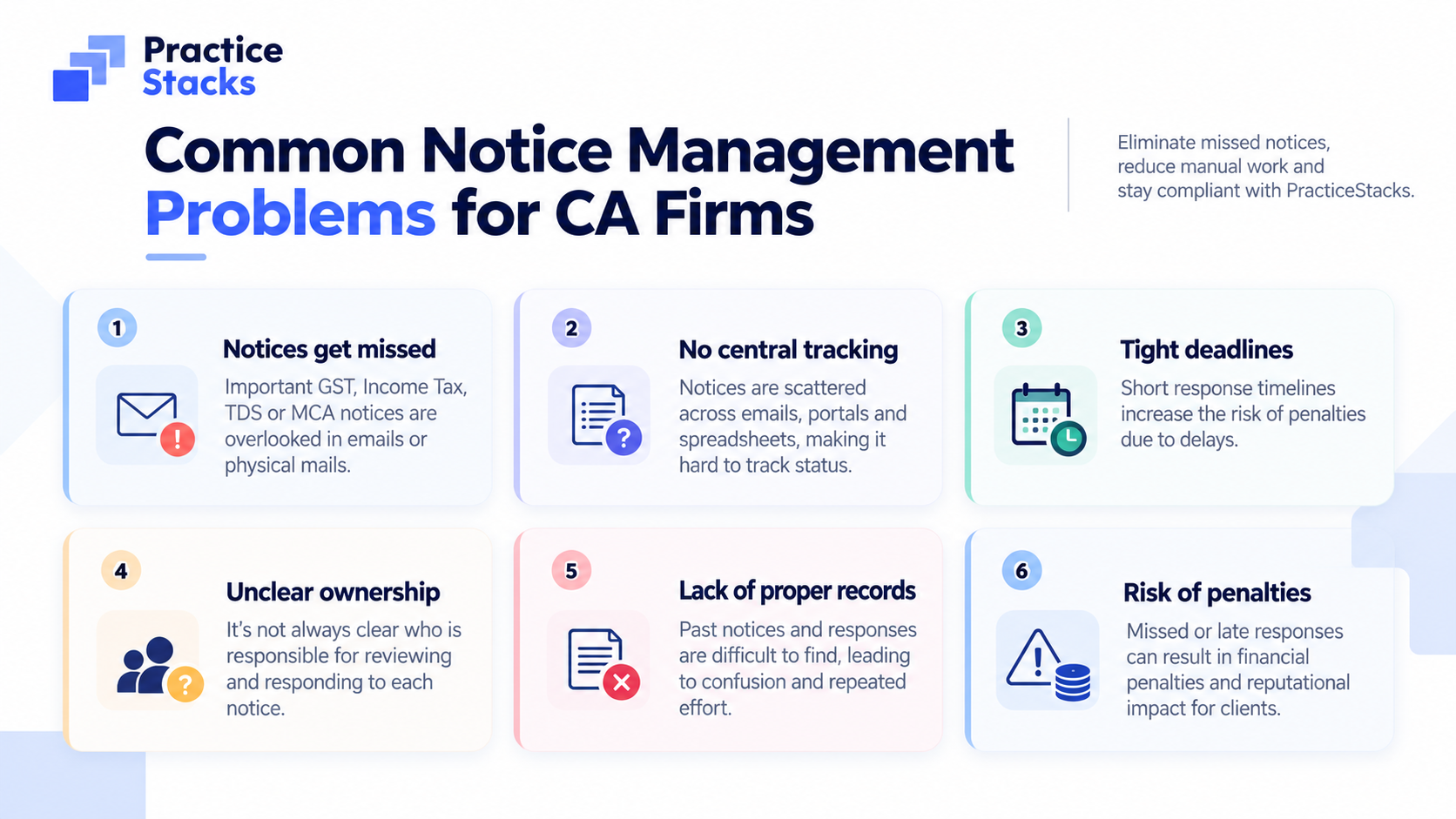
Across firms, the same handful of problems keeps appearing.
1) Checking portals one client at a time
To find out whether a client has received a notice, someone logs into the GST portal, then the income tax portal, then TRACES, then MCA—client by client. It’s repetitive, it takes hours across a large client list, and it’s usually the first task to slip in a busy filing season.
2) Notices sitting in one person’s inbox
When a notice lands in a partner’s personal email, nobody else can see it. If that partner is travelling, in a hearing or simply buried in work, the notice waits. The firm’s response time depends on one person’s calendar.
3) No single list of what’s open
Ask most firms: “Which notices are open right now, which are overdue and which have been answered?” You’ll often get a pause, followed by “Let me check.” The answer lives in chats, a spreadsheet, and people’s heads. There’s no single place where it is written down.
4) Unclear ownership
Ownership stays unclear until the client calls. By then, the firm is already on the back foot, and the conversation starts with an apology instead of an update.
5) Deadlines discovered late
Reply dates are noticed only after they have passed. This is the most expensive version of the problem, and also the most avoidable.
6) Starting every reply from a blank page
Many notices resemble earlier ones. A scrutiny query for one client looks a lot like the last one for another. Yet teams often draft each reply from scratch, which costs time that could go into the actual analysis.
Why spreadsheets and WhatsApp stop working as the client list grows
Most firms don’t start with a bad system. They start with a reasonable one: an Excel sheet for notices, a WhatsApp group for the team, and the partner’s memory for everything else.
The trouble is that each of these tools solves only a small part of the problem:
A spreadsheet records a notice only after someone has found it and typed it in. It cannot find notices, and it cannot remind anyone.
WhatsApp is quick for conversation but poor as a record. Which notice was assigned to whom, and when? That information is spread across threads and gets lost.
Memory works until someone is on leave.
Each tool depends on a person remembering to update it. Notice management only works when finding, recording, assigning and tracking the notice are connected, so that nothing depends on one person’s attention on a given day. That is the shift from managing tasks to running a firm with visibility.
What a firm actually needs to track for GST and income tax notices
Before choosing any notice tracking software for chartered accountants, decide what information every notice record should carry. Whether you use a system or a sheet, the fields below are a sensible minimum:
Field | Why it matters |
|---|---|
Client | So the notice is tied to the right client file |
Source / portal | GST, income tax, TDS or MCA—each has its own response route |
Notice type and reference number | For identification and avoiding duplicates |
Issue date | Starts the clock |
Reply due date | The date that drives priority |
Hearing date (if any) | Often separate from the reply date |
Assigned owner | A named person, not “the team” |
Status | New, acknowledged, in progress or resolved |
Working papers and the final reply | So the record is complete if the matter returns |
Two details are often missed. First, hearing dates can differ from reply dates and should be tracked as their own item. Second, the same notice can arrive twice—once on the portal and once by email—and it can end up logged twice with two different owners.
What “visibility” means for a partner
For a partner, visibility is not about seeing more data. It’s being able to answer a few questions in seconds:
Which notices are open right now, across every client?
Which are overdue, and which fall due in the next seven days?
Who is handling each one?
Has the client been told?
What happened on a particular notice, and when?
If answering any of these takes a round of phone calls, the firm doesn’t yet have notice management. It has notice handling, and the difference matters most when the firm grows or when a key person is unavailable.
A practical 5-step process for notice management for CA firms
You can start improving notice management for CA firms this week, with or without new software.
Step 1: Build one notice register
Pick a single place where every notice is recorded, with the fields listed above. If notices live in several places, nothing else will work.
Step 2: Create a shared channel for notice intake
Don’t let notices arrive only in personal inboxes. Use a shared mailbox or forwarding rule so that more than one person sees every incoming notice.
Step 3: Assign an owner on the day it arrives
The status flow should be simple: New, Acknowledged, In Progress, Resolved. Anyone looking at the register should know within seconds who holds each notice.
Step 4: Sort by reply date, daily
Make a short daily or twice-weekly review a habit. Overdue and near-due notices go to the top. Decide in advance who escalates to the partner and when.
Step 5: Reuse and record
Keep working papers and final replies against each notice. Use earlier replies as a starting point for similar notices, always reviewed by the responsible professional, and keep a record of changes so the firm can answer a client’s “what happened?” with facts.
This process is deliberately simple, and it’s where many firms see the biggest improvement. The challenge is keeping it up when volume rises, and that’s where a connected system helps.
How PracticeStacks supports notice management (one notice’s journey)
PracticeStacks is a practice management platform built for Indian CA, CS and tax firms, and Notice Management is one module within the “Deliver” stage of the client lifecycle.
Important: The points below should be verified against the current Features and Changelog pages (and/or your account), as product capabilities and plan inclusions can change.
Central register/board: a single place to see open items, due-soon items and resolved matters across clients.
Ownership + workflow: assign an owner, track status, and make review explicit.
Evidence pack: keep notice copies, working papers and proof of submission together.
Communication continuity: reduce “it was in someone’s inbox/WhatsApp” dependency by tying follow-ups to the matter context.
Assistance for drafting/summarising: speed up first-draft creation and internal handovers, while keeping CA review non-negotiable.
Billing continuity: ensure out-of-scope notice work doesn’t disappear at month-end.
That continuity—rather than any single feature—is what changes notice handling from “follow-ups and memory” to “visibility and control.”
The practical takeaway
Notice management for CA firms comes down to four things: one place where every GST and income tax notice is recorded, a named owner for each, a reply date that cannot be missed, and a record of what was done. Firms that put these in place—whether in a well-kept register or in a connected system—spend less time chasing and more time on the work clients actually value.
If your firm is still checking portals one client at a time, or notices still depend on one partner’s inbox, start with the five steps above.
If you want to see how a connected, lifecycle-based setup can keep notices, tasks and billing in one view, visit https://www.practicestacks.in/ or call +91 94038-91377.
Frequently asked questions
What is notice management for CA firms?
It is the process of finding, recording, assigning, tracking and responding to tax and compliance notices (GST, income tax, TDS, MCA, etc.) across all client accounts so that no notice or reply date is missed.
How can a CA firm track GST and income tax notices for multiple clients?
Keep one central register, route all notices through a shared channel, assign a named owner the day each notice arrives, and review the register by reply date daily. A connected system can reduce manual collection and reminders.
Does PracticeStacks track both GST and income tax notices?
Check the current PracticeStacks Features/Changelog pages for the latest supported notice sources and module behaviour, as capabilities can change.
Does PracticeStacks reply to notices automatically?
No responsible system should file without CA review. Drafting assistance can speed up a first draft, but the responsible professional must review facts, law and evidence before any submission.
Is Notice Management included in the standard plan?
Plan inclusions and add-ons can change. Verify current plan details on the PracticeStacks pricing/features pages before deciding.
Written by
Shekhar MaskeContributor at PracticeStacks. Sharing playbooks on practice management, compliance, and firm automation.
Looking to automate your proposals & compliance?
PracticeStacks helps modern practice and tax professionals streamline their entire workflow from start to finish.